What would happen to your business if you lost access to your most important files tomorrow? The fact is that kind of disruption can result from several common problems, not just a major disaster. A server failure, stolen laptop, or ransomware attack could leave your team without customer records, financial documents, project files, or other data it depends on every day.
A reliable backup strategy gives you a way to recover that data when something goes wrong. The challenge is choosing an approach that fits your business. Cloud backup and traditional backup are two common options, but they differ in cost, risk, and management needs.
What is traditional backup?
Traditional backup usually means saving copies of your business data to physical storage. This might include external hard drives, backup devices, or servers kept at your office.
One major benefit of this backup approach is control. Your business owns the equipment and can access its backups without an internet connection. Restoring large amounts of data can also be fast because the backup is stored locally.
The main drawback is that local backups can be affected by problems at your office. A fire, flood, theft, or other disaster event could damage both your main systems and your backup equipment. Physical backup devices also need regular maintenance, testing, and replacement.
What is cloud backup?
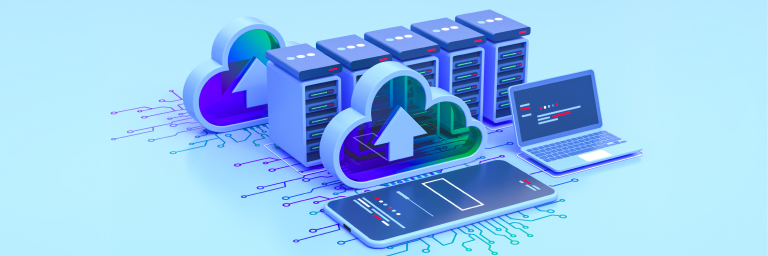
Cloud backup stores copies of your data on remote servers managed by a backup provider. Your systems send data to the provider over the internet, where it is then stored separately from your local systems. This separation is one of the biggest benefits of this approach. If your office or local equipment is damaged, your backup can still be available elsewhere.
Cloud backup can also scale as your business grows and the amount of data you need to protect increases. You can often add storage as needed without buying and installing new backup hardware.
The tradeoff is that cloud backup relies on an internet connection, and your business depends on the provider’s service and infrastructure. Costs may also increase as you store more data, depending on the provider and its pricing.
Cloud backup vs. traditional backup
The table below provides a quick look at the main differences to help you decide which approach aligns with your business needs.
| Factor | Cloud backup | Traditional backup |
| Storage location | Off site | Usually on site |
| Hardware | Managed by provider | Owned and maintained by business |
| Internet | Needed for normal backup and recovery | Less dependent on internet |
| Scaling | Usually easier to expand | May require new hardware |
| Protection from disasters | Strong if backups are stored off site | Limited if kept on site |
| Daily management | Often handled by provider | Handled by internal staff or IT provider |
Which option is right for your business?
There is no single answer for every business. Your choice depends on your systems, budget, staff, and recovery needs.
Cloud backup may suit businesses with small IT teams, multiple locations, or a need to keep backups separate from the office. Conversely, local backup may make sense if you want direct control over your equipment or need to restore large amounts of data without relying on an internet connection.
In practice, the choice doesn’t always have to be one or the other. A hybrid backup approach combines local and cloud or other off-site backups.
Consider a small accounting firm with employees working from one office. A local backup could help restore files quickly if the firm’s server fails, but it could also be lost if a fire damages the office. Adding a cloud or other off-site backup gives the firm another way to recover its data.
Whatever approach you choose, make sure to maintain and test your backups regularly. Regular testing helps confirm that your backups are current, accessible, and capable of restoring the data your business needs.
What to consider when choosing a backup solution
Before choosing a backup solution, think about what your business could afford to lose and how quickly you would need to get back to work. You should also identify your most important files and systems, then decide how often they need to be backed up and how long your business could operate without them.
From there, you can compare cloud, traditional, or hybrid backup options based on your needs. The right solution should give you a practical way to restore the data and systems your business depends on when you need them.
Ready to strengthen your backup strategy?
If you’re unsure whether your current backups are enough, outsourceIT can help. We’ll review your approach, identify gaps, and help you build a recovery plan that fits your business. Reach out today.