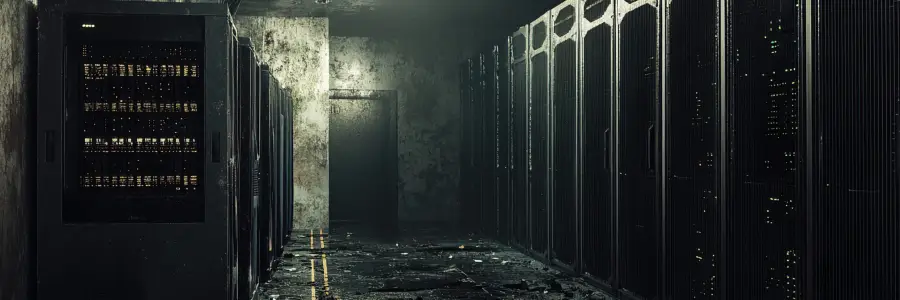
Old technology does not have to stop working completely to start costing your business money. The server or the software you’re using can all remain technically functional, but keeping them running may be more expensive than replacing them.
That is why the cost of outdated IT infrastructure should not be measured only by repair bills. Small and mid-sized business (SMB) owners also need to consider how aging technology affects productivity, security, IT spending, and the company’s ability to grow.
When does IT infrastructure become outdated?
IT infrastructure encompasses the hardware, software, and networks your business relies on to operate. Over time, equipment naturally ages and declines, but because this happens gradually, staff may start to accept small glitches or develop workarounds rather than addressing the root cause.
It’s therefore important to evaluate whether your current equipment can still reliably meet your business needs. One key warning sign to watch for is a product's end of support date. Once a product reaches this stage, its vendor may stop providing security updates or technical assistance. Microsoft, for example, sets end of support deadlines for its products and strongly encourages organizations to migrate to supported versions before that date arrives.
Older technology can also incur technical debt, or the hidden costs that build up when you keep applying quick fixes to an outdated system instead of solving the real problem. For many small and medium-sized businesses, this approach can become expensive over time.
Where does the cost of outdated IT infrastructure show up?
Outdated IT infrastructure can be costly, but not always in obvious ways. Some expenses show up directly on an invoice, while others are quietly eating into your team's working day. Here's where those costs tend to hide:
- Lost productivity: Slow computers, lagging applications, and unstable networks turn routine tasks into lengthy waiting times. Beyond immediate idle hours, this friction causes daily workflow disruptions, reduces total employee output, and increases operational expenses without delivering proportional value.
- More support: Older equipment demands frequent troubleshooting and repeat service tickets just to stay functional. This creates recurring maintenance overhead and ties up internal or third-party IT teams with reactive fixes.
- Expensive repairs: Replacement parts for obsolete or discontinued hardware are harder and costlier to source. Furthermore, unexpected failures force emergency purchases and rushed service, resulting in higher cumulative costs than planned equipment upgrades.
- Security exposure: Unsupported software and legacy operating systems stop receiving critical vendor updates and security patches. Leaving these vulnerabilities open significantly heightens the risk of cyberattacks, data breaches, regulatory noncompliance fines, and substantial financial or reputational damage.
- Compatibility problems: Older hardware and outdated systems often can't keep up with modern tools such as cloud apps, analytics platforms, or automation software. This makes it harder for businesses to grow, adapt, and stay competitive.
Know what should be replaced before it becomes urgent
A planned IT refresh gives SMBs more control over both timing and spending. That said, replacing everything simply because it is old is not a sensible IT strategy. Instead, the goal is to identify which systems are becoming liabilities and prioritize those first.
This is where a regular technology assessment can help. By evaluating your current systems, SMBs can determine where upgrades are necessary and where existing systems still have useful life remaining.
An infrastructure assessment should help determine:
- Which devices or applications are approaching their end of support dates
- Where recurring service tickets point to underlying hardware problems
- Whether current systems can support expected hiring or new applications
- Which upgrades should be budgeted now rather than purchased after a failure
How to upgrade aging IT infrastructure effectively
Once you know what needs attention, the next step is to upgrade in a way that limits disruption and keeps spending manageable. Rather than replacing everything at once, prioritize systems based on business risk, performance, and support status. A practical upgrade plan may include:
- Addressing unsupported or high-risk systems first
- Phasing replacements around budgets and operational priorities
- Checking compatibility with current software, cloud platforms, and workflows
- Scheduling upgrades to minimize downtime
- Documenting replacement timelines so future refreshes can be planned in advance
This approach turns infrastructure upgrades into a planned business investment instead of an emergency expense.
Stop paying to keep outdated IT alive
The true cost of outdated IT infrastructure becomes clearer when you look beyond the price of maintaining individual devices. If employees are losing productive time, support calls keep returning, or older systems are limiting your options, delaying an upgrade may no longer be saving money. A managed IT provider can help identify those costs before aging technology forces the issue.
outsourceIT provides proactive IT management and strategic technology reviews to help businesses replace aging systems before they become costly problems. We can help you prioritize upgrades, plan around your budget, and build a practical technology roadmap that supports where your business is heading. Get in touch to start planning your next IT refresh on your terms, not after a failure forces your hand.